Productions.com
A marketplace for film and television production with five kinds of user. Every audience wanted a product built for it, and nobody had the budget for five products. The work was deciding what could be shared and what could not.
- Client
- Productions.com (formerly FilmConnx), Atlanta
- Role
- Design Lead, via Brickroad (US agency)
- Years
- 2020 to 2024
- Outcome
- Google for Startups Black Founders Fund, 2020
Atlanta is one of the busiest production hubs in the world, and yet when a studio arrives to shoot, it often brings most of its crew with it. Local professionals watch the industry work in their city without hiring from it. FilmConnx, founded by Carolyn Pitt, an intellectual property and entertainment attorney, and later renamed Productions.com, was built against that pattern: a marketplace where productions find local crew and vendors, and local crew find the work happening around them.
The platform serves five audiences: production companies, crew, vendors, grant funders and community groups. A caterer and a gaffer have almost nothing in common as users. The design question was how a small team could keep all five moving without building five products.
The pipeline says whose pipeline it is
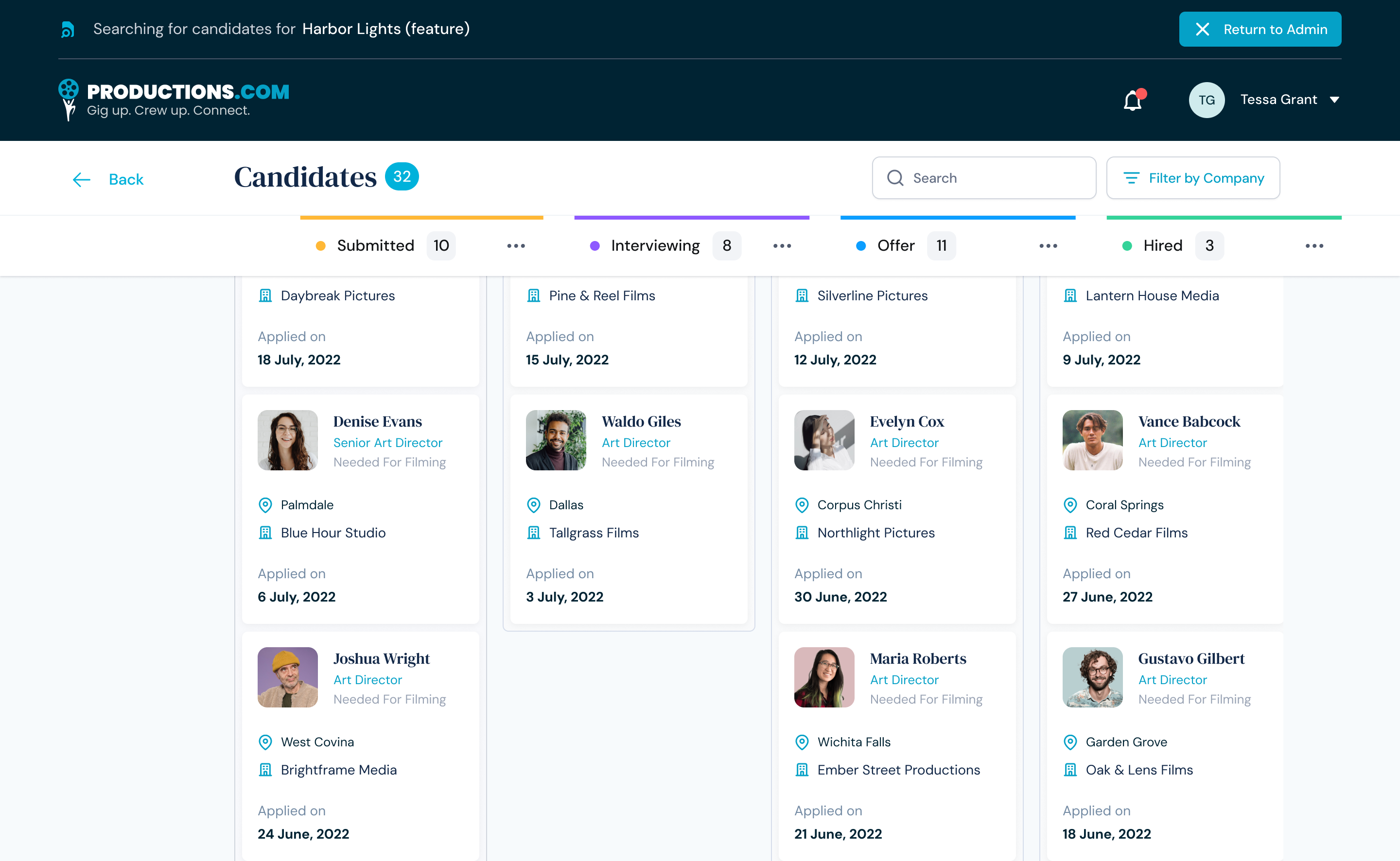
A production company works its hiring as a pipeline: submitted, interviewing, offer, hired, with a count on every stage and the header fixed while the columns scroll. But a pipeline here is not one person's tool. The platform's own staff step into a client's account to help, and when they do, a bar across the top says whose pipeline is open and offers the way back. If someone is acting inside another company's data, the interface says so on every screen. It is a permission decision expressed as a banner rather than a settings page.
Roles are explained where they are chosen
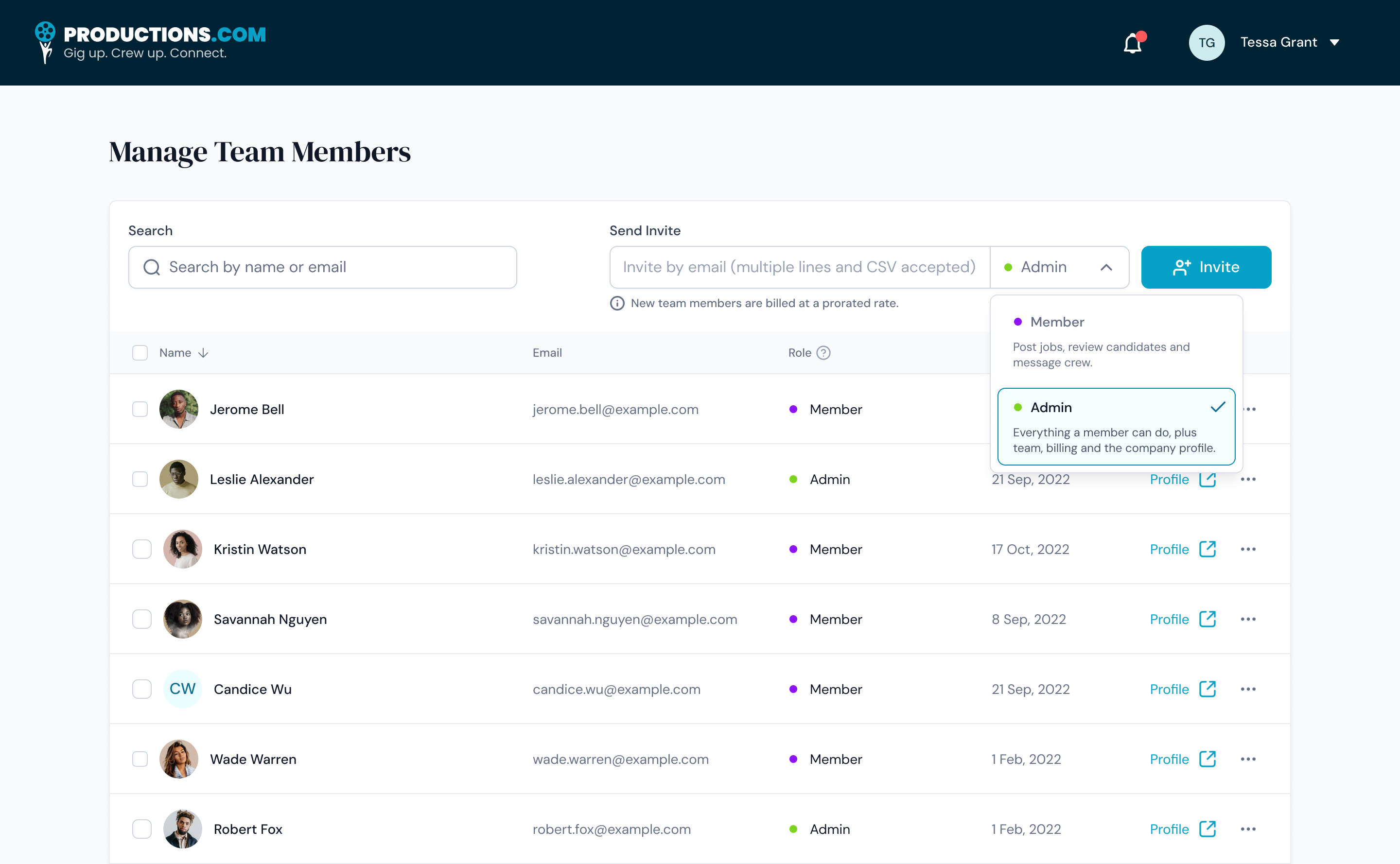
A company invites its team in one step: paste addresses, or a whole list, and pick a role. The role menu does not just name the roles, it writes out what each one can do. A member posts jobs, reviews candidates and messages crew. An admin can do all of that, plus manage the team, billing and the company profile. Permissions are decided at the moment of inviting, by the person who knows the team, with the consequences in plain words in front of them, and the billing note sits right beside the button.
Communities run their own rosters
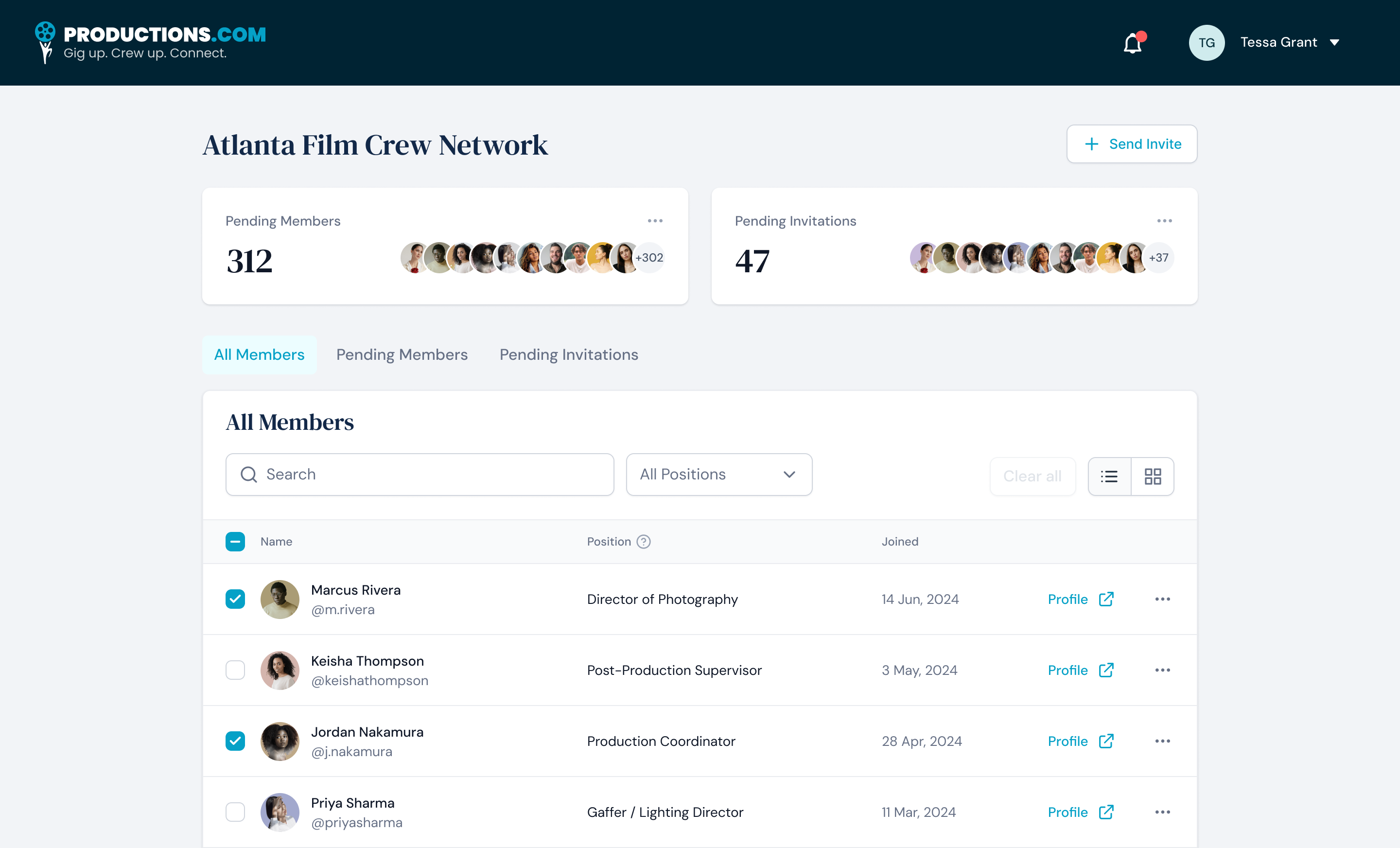
Community groups are one of the five audiences, and they are organized by place and by craft, like the crew networks of a city. A group manages its own membership: pending members and invitations are counted at the top, and the member list carries each person's position on set, director of photography, production coordinator, gaffer, so a group reads as a crew list rather than a follower count.
A different business in the same shell
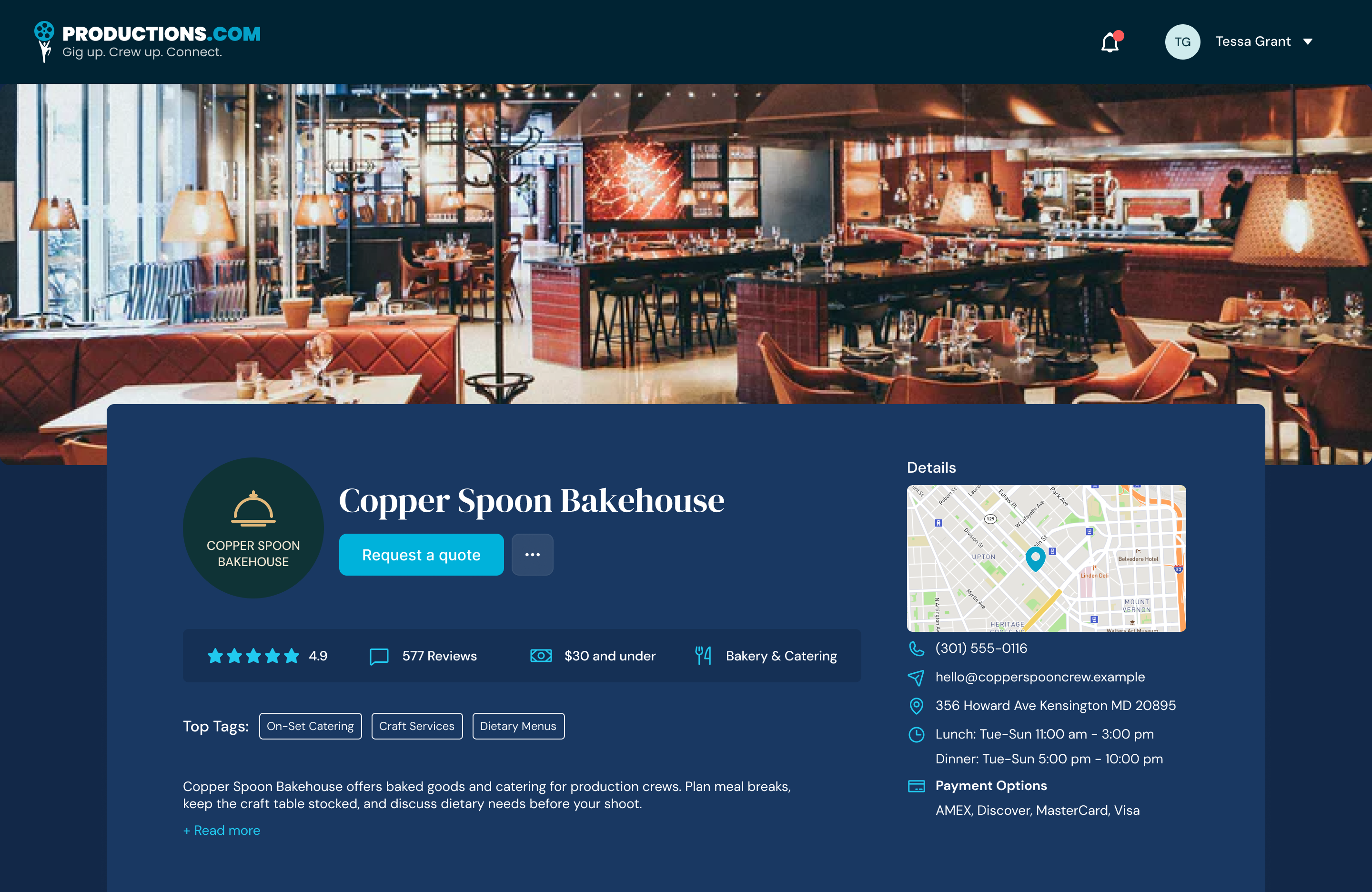
One profile structure, filled differently per audience, instead of a separate design for each. A vendor page holds opening hours, payment options, a price band and reviews in the same places a crew profile holds skills, a rate and availability: the same header, the same details rail, the same tag row, the same components underneath. That decision is what let one small team keep five audiences moving at once, and it is the direct ancestor of the system the UNCF platforms run on.
Where money changes hands, use what people already know
The offer and the timesheet are where a marketplace earns trust or loses it, and the worst place to be original. Both follow conventions freelance marketplaces had already taught hirers and crew. The offer puts the whole commitment on one screen, hourly or fixed, with the rate offered and, beneath it, the rate this person usually works for, so the comparison happens at the moment of deciding rather than in a later negotiation. The timesheet then carries the same agreed terms, line by line, for a freelancer working several productions at several rates in one week. Nothing is re-entered and nothing is renegotiated by hand.
How it was built
The component set came over from Possip and was used as it was at first. As the five audiences grew, it was rebuilt here into a far more complete system: one set of page structures, components and states that every audience could be filled into. That system is the one that went on to carry the UNCF platforms, two products and 967 screens.
Outcome
In 2020 Productions.com was selected for the inaugural cohort of the Google for Startups Black Founders Fund, the same cohort as Possip. The value of the design work was not the number of screens. It was deciding which parts of a five-sided product could be one thing.
Next case study